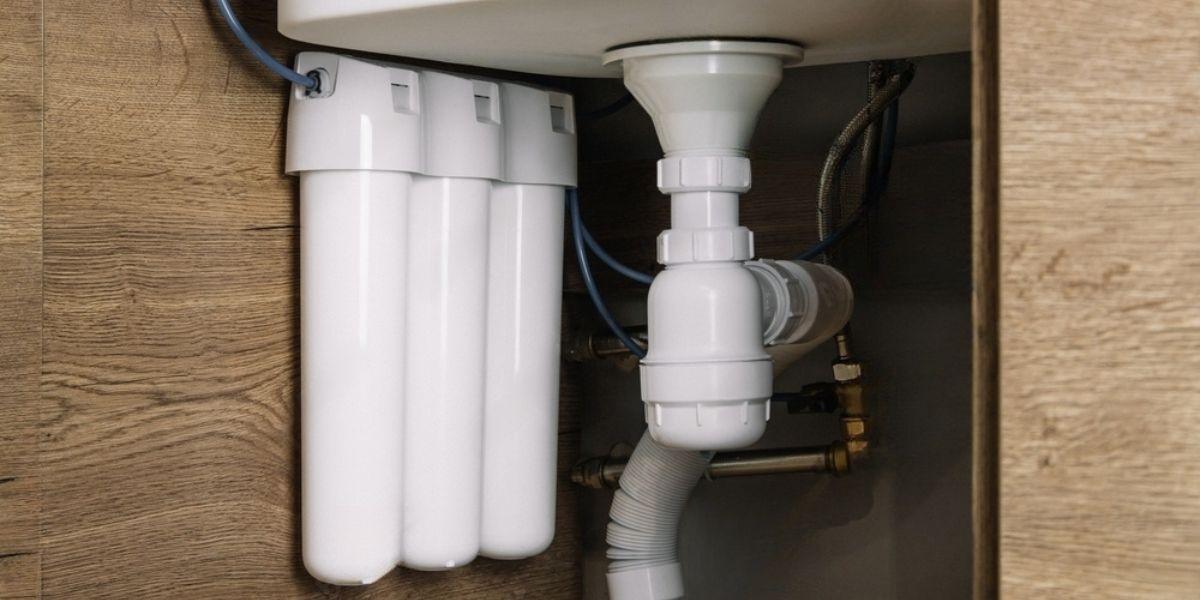
If you are looking to learn how to change the reverse osmosis filters, you have come to the right place, as in this blog we will break down how to change them as well as various relevant information about reverse osmosis filters.
You will learn the necessary steps to change the filters and thus ensure pure and high-quality water in your home. Keep reading to discover how to keep your reverse osmosis system in perfect condition.
Why is it important to change the Osmosis Filters?
Regular maintenance of the reverse osmosis system is essential to ensure optimal performance and pure water at all times. Reverse osmosis filters retain and remove impurities such as sediments, chlorine, chemicals, and microorganisms that could affect water quality.
Over time, these filters become clogged and their efficiency decreases, which can result in lower production of purified water or even in the proliferation of bacteria. Therefore, changing the filters periodically is essential to maintain water quality and extend the lifespan of your system.
Frequency of filter change
The frequency of changing reverse osmosis filters can vary depending on several factors, such as the quality of the incoming water, the volume of water used, and the manufacturer's recommendations.
However, as a general rule, it is recommended to change the sediment and activated carbon filters every 6 to 12 months, and the membrane filter every 2 to 3 years. It is important to check the manufacturer's instructions for your specific system to know the recommended replacement guidelines.
Steps to Change the Osmosis Filters
Step 1: Preparation
Turn off the water supply: Locate and close the shut-off valve for the water that feeds your reverse osmosis system. This will prevent water from flowing while you change the filters.
Gather the necessary materials: Make sure you have the appropriate replacement filters for your reverse osmosis system, disposable gloves, and absorbent towels for any water spills.
Step 2: Accessing the filters
Locate the filters: Depending on the design of your reverse osmosis system, you may need to open the front panel or remove a casing to access the filters. Check the manufacturer's manual for specific instructions.
Disconnect the power supply: If your reverse osmosis system has an electrical connection, disconnect it to ensure your safety during the filter change process.
Step 3: Remove the old filters
Loosen and remove the filters: With the help of a filter wrench, turn counterclockwise to loosen and remove each filter. Make sure to have a container underneath the filters to catch any residual water.
Discard the used filters: Wrap the old filters in a plastic bag and dispose of them properly. Some filters may contain chemicals or contaminants, so it is important to follow local regulations for proper disposal.
Step 4: Install the new filters
Prepare the replacement filters: Before installing the new filters, make sure to remove the protective caps and follow the manufacturer's instructions for pre-use preparation, such as rinsing them with water or soaking them for a specific period of time.
Place the new filters: Insert each filter into its corresponding place, making sure they are tightly screwed in. Use the filter wrench to tighten them clockwise, but be careful not to overtighten to avoid damaging the threads.
Step 5: Check and restart the system
Check the connections: Make sure all connections are tight and there are no water leaks. If you find any leaks, gently tighten the connections or replace the seals if necessary.
Restore the power supply and open the water supply: Reconnect the power supply if necessary and open the water shut-off valve to allow water to flow into the reverse osmosis system.
Step 6: Perform a rinse and test
Perform an initial rinse: After changing the filters, let water run through the system for a few minutes to remove any residual activated carbon and ensure there are no strange tastes or odors.
Test the water quality: Take a sample of the purified water and conduct quality tests to ensure that the system is functioning properly. You can use home testing kits or go to specialized laboratories for more accurate results.